Remote monitoring turns your standby generator into a system you can check from a hotel room in Destin or a job site in Mobile, and setting it up takes less than an hour on most Kohler and Generac units installed since 2015.
- Setting up remote monitoring on a standby generator takes 30-60 minutes if wifi reaches the pad.
- Kohler OnCue and Generac Mobile Link are the two apps covering most coastal Alabama installs in 2026.
- No home wifi at the generator pad means you need a cellular monitoring kit, which runs $150-$300 installed.
- Skipping the test alert is the #1 mistake - verify push notifications before the next named storm.
- Baldwin County Generators sets up remote monitoring during install or as a standalone service call.
Why this matters
A standby generator that fails silently is worse than no generator at all, because you find out during the outage instead of before it.
Hurricane season along the Gulf Coast runs June through November, and 2026 forecasts already point to an active pattern for Baldwin County. Remote monitoring closes the gap between "the generator ran its weekly self-test" and "the generator actually has fuel, oil pressure, and a charged battery right now." Homeowners in Fairhope and Gulf Shores who travel for work or spend summers away from their coastal property get the most value here - a low-battery alert three weeks before a storm beats a dead unit during one.
Most Kohler and Generac systems installed by Baldwin County Generators since roughly 2015 ship with monitoring hardware already built in. The setup work is connecting that hardware to your home network and your phone, not buying new equipment.
What you'll need
- Your generator's model and serial number (on the data plate, usually inside the control panel door)
- A smartphone with the Kohler OnCue Plus app or Generac Mobile Link app installed
- Wifi signal that reaches the generator pad, or a cellular monitoring kit if it doesn't
- The generator's wifi module or Ethernet port (standard on most units built after 2015)
- Your home wifi network name and password
- 30 to 60 minutes, uninterrupted
The steps
1. Confirm your generator has a monitoring module
Open the control panel and check for a wifi or Ethernet connector, usually labeled clearly on Kohler RESERVe and Generac Guardian series units. Units installed before 2012 sometimes need a retrofit kit to add this capability. Skipping this check wastes time trying to pair an app with hardware that isn't there.
Common mistake: assuming every generator has built-in wifi. Older Briggs & Stratton and Honeywell units from the early 2010s often require an add-on module before any app will connect.
2. Download the correct manufacturer app
Kohler units pair with Kohler OnCue Plus; Generac units pair with Generac Mobile Link. Download the one matching your generator's brand - the apps are not interchangeable, and pairing attempts with the wrong app simply fail silently.
Create an account using an email address you check daily, since storm alerts and low-fuel warnings arrive here first.
3. Connect the generator to your wifi network
From the control panel touchscreen, navigate to network settings and select your home wifi network from the list. Enter your password exactly as it appears on your router - case sensitivity trips up more setups than any other single step.
Signal strength at the pad matters. If your generator sits 80-100 feet from the router with exterior walls between, expect a weak or dropped connection. A mesh wifi extender near the electrical panel fixes this in most Foley and Daphne installs.
4. Pair the app to the generator's serial number
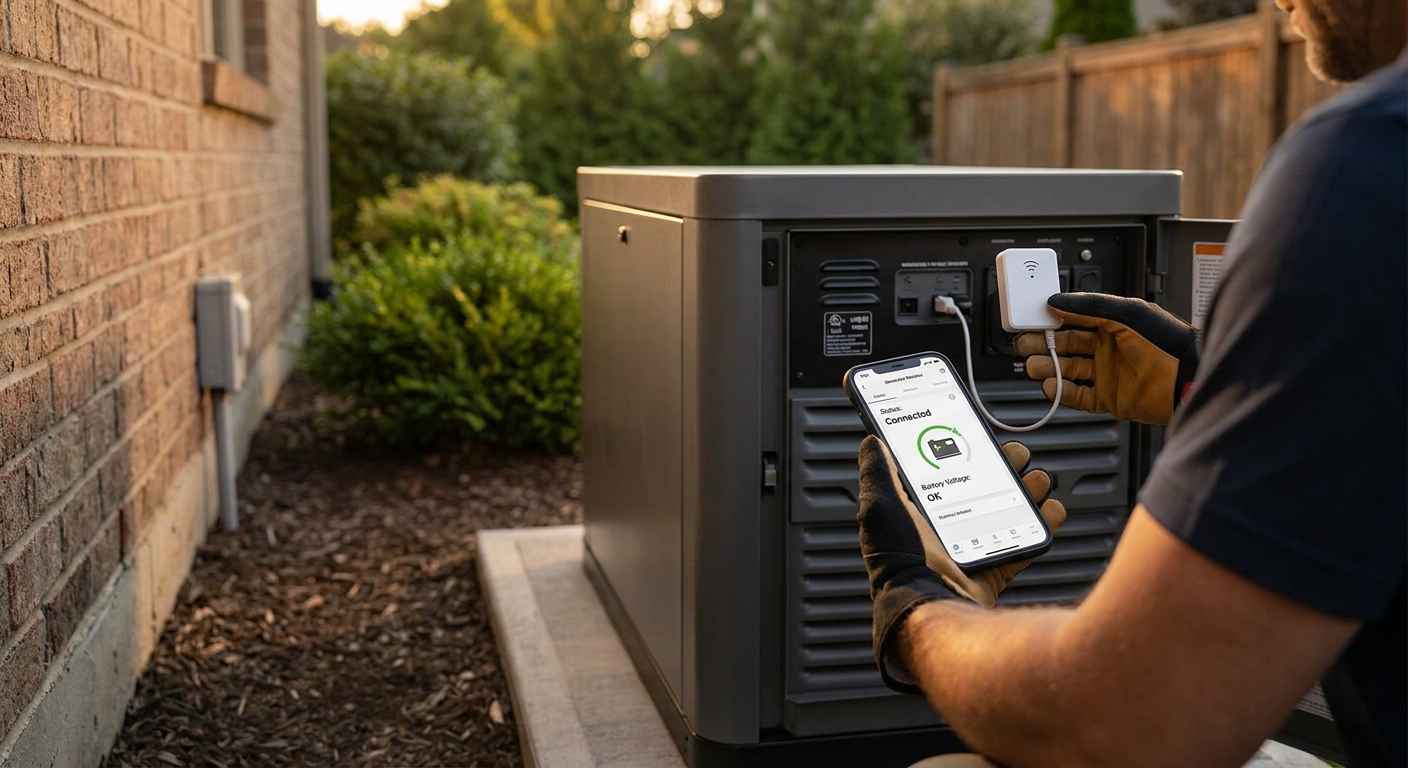
Enter the model and serial number from the data plate into the app's "add device" screen. This links your phone account to that specific unit, not just to any generator on the network. Double-check every digit - a single transposed character means the app never finds your unit.
Expected outcome: the app shows your generator's current status (Standby, Running, or Alarm) within 60 seconds of a successful pairing.
5. Set up alert notifications
Inside the app, turn on push notifications for the alerts that matter most: low fuel, low oil pressure, battery voltage below 12.4V, and loss of utility power. Leave maintenance reminders on too - most manufacturers recommend service every 100 hours or 12 months, whichever comes first.
Common mistake: enabling the app but leaving notification permissions off at the phone's operating system level. The app shows alerts inside itself but never actually pushes them to your lock screen.
6. Add a cellular backup if wifi isn't reliable
If your home wifi cuts out during storms - which is common once utility power drops and routers lose backup battery - a cellular monitoring kit keeps the generator reporting status independent of your home network. These kits run roughly $150 to $300 installed and use a dedicated cellular connection, the same approach commercial standby systems in Gulf Shores use for properties that sit vacant part of the year.
7. Run a test alert before you need it for real
Use the app's built-in test function, or manually trigger a low-fuel simulation if your unit supports it, to confirm the alert actually reaches your phone. Do this the same week you finish setup, not during the next tropical storm watch.
Expected outcome: a push notification arrives within 2-5 minutes of the test trigger. If nothing arrives, recheck notification permissions and wifi signal strength before assuming the hardware is at fault.
Get your generator monitoring set up right
Baldwin County Generators configures remote monitoring during install or as a standalone visit.
Troubleshooting
- App shows "offline" even though the generator runs fine. The wifi connection likely dropped after a router reboot or password change. Re-enter network settings on the control panel touchscreen.
- No alerts arrive during a real outage. Home wifi and routers usually lose power within minutes unless on their own battery backup - this is the #1 reason monitoring "fails" during the exact event it's meant for. A cellular kit avoids this entirely.
- Pairing fails with "device not found." Recheck the serial number entry for typos, and confirm the generator's network settings show a connected status, not just "searching."
- App shows old status hours after the generator's last self-test. Some models refresh status every 15-30 minutes rather than instantly. Wait one full cycle before assuming something's broken.
- Battery voltage alert triggers repeatedly. This usually points to an aging generator battery, not a monitoring glitch - batteries typically need replacement every 2-3 years in coastal Alabama's humidity and heat.
- Two-factor login locks you out of the app. Update the phone number or email tied to the manufacturer account before your old number gets deactivated, especially after a carrier switch.
Tools and resources
- Kohler OnCue Plus or Generac Mobile Link app (free download, manufacturer-specific)
- Your generator's data plate for model and serial number
- A wifi signal strength app to check pad coverage before troubleshooting hardware
- Cellular monitoring kit, for properties without reliable wifi at the generator location
- Baldwin County Generators for setup support, retrofit modules, or service calls on units that won't pair
What to do next
Once monitoring is live, schedule your annual service visit around the same time - most manufacturers specify service every 12 months or 100 running hours, and a technician on-site can verify the monitoring hardware itself is transmitting accurate readings, not just any readings.
FAQ
How do I set up remote monitoring on a standby generator?
Download your generator's manufacturer app (Kohler OnCue Plus or Generac Mobile Link), connect the unit to your home wifi through the control panel, and pair it using the model and serial number from the data plate. Most setups take 30-60 minutes in 2026 on units built after 2015.
Is remote monitoring available on older generators?
Units built before roughly 2012 often need a retrofit wifi or cellular module added before any monitoring app will connect. Check the control panel for an existing wifi or Ethernet port first.
What happens to generator monitoring during a power outage?
Home wifi routers typically lose power within minutes of a utility outage unless on their own battery backup, which cuts off standard monitoring exactly when you need it most. A cellular monitoring kit avoids this by using an independent connection.
How much does a cellular monitoring kit cost?
Cellular monitoring kits run roughly $150 to $300 installed as of 2026, covering the hardware and setup labor. This is separate from the generator's built-in wifi monitoring, which comes standard on most units since 2015.
Which app works with my generator brand?
Kohler generators pair with the Kohler OnCue Plus app, while Generac units use Generac Mobile Link. The apps aren't interchangeable, so confirm your brand before downloading.
Can I monitor a generator from a phone while traveling?
Yes, both Kohler OnCue Plus and Generac Mobile Link work over cellular data on your phone, so status and alerts reach you anywhere with signal, not just on your home wifi.
How often should I test my generator's monitoring alerts?
Run a test alert immediately after setup, then again at the start of hurricane season each year. Confirming alerts work before June gives you time to fix any wifi or notification issue before storm season along the Gulf Coast.
Why isn't my generator app showing real-time status?
Some models refresh status every 15-30 minutes instead of instantly, so a delay doesn't necessarily mean a problem. If status stays stuck for hours, recheck the wifi connection on the control panel.
One last thing
The generator that actually protects your family through the next tropical storm isn't the biggest kW unit on the block - it's the one whose owner gets a text alert three weeks before the fuel runs low, not three hours after the lights go out. Set the test alert this week, not the week a storm watch gets issued for Baldwin County.